
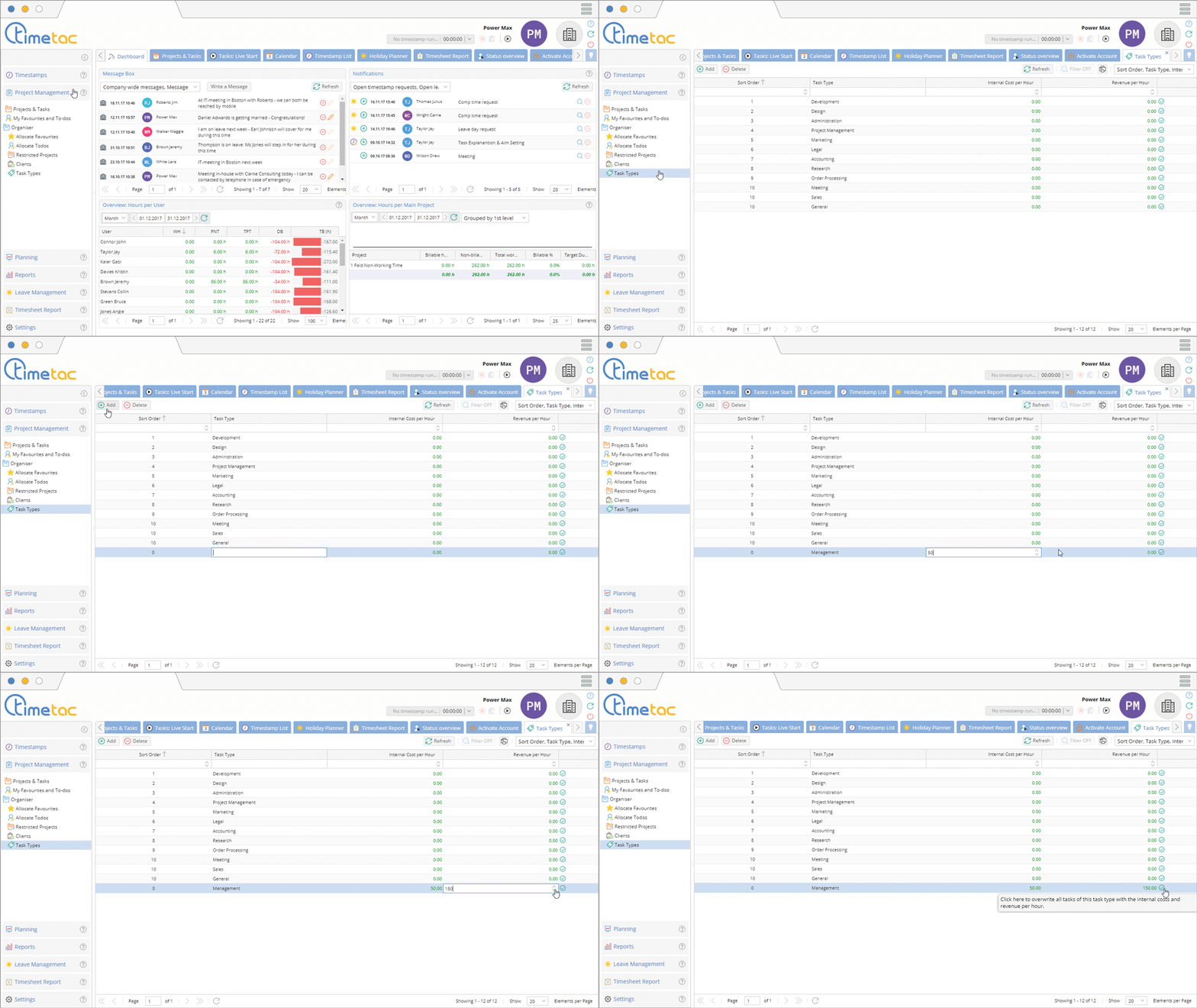
Project Time Tracking allows you to define and create different tasks. Change to the menu Project Management, then Task Types. To create a new task type double click in the column task type.
To create a new task click on Add. Now you can define a name in the column Task Type. If you would like to change the name of a column at some point double click in the column Task Type. Double click in the column Internal Cost Per Hour and define an amount. Then double click in the column Revenue Per Hour and define the revenue of this task type. With a click on the green arrow you can rewrite already created time stamps.
Define Task Types
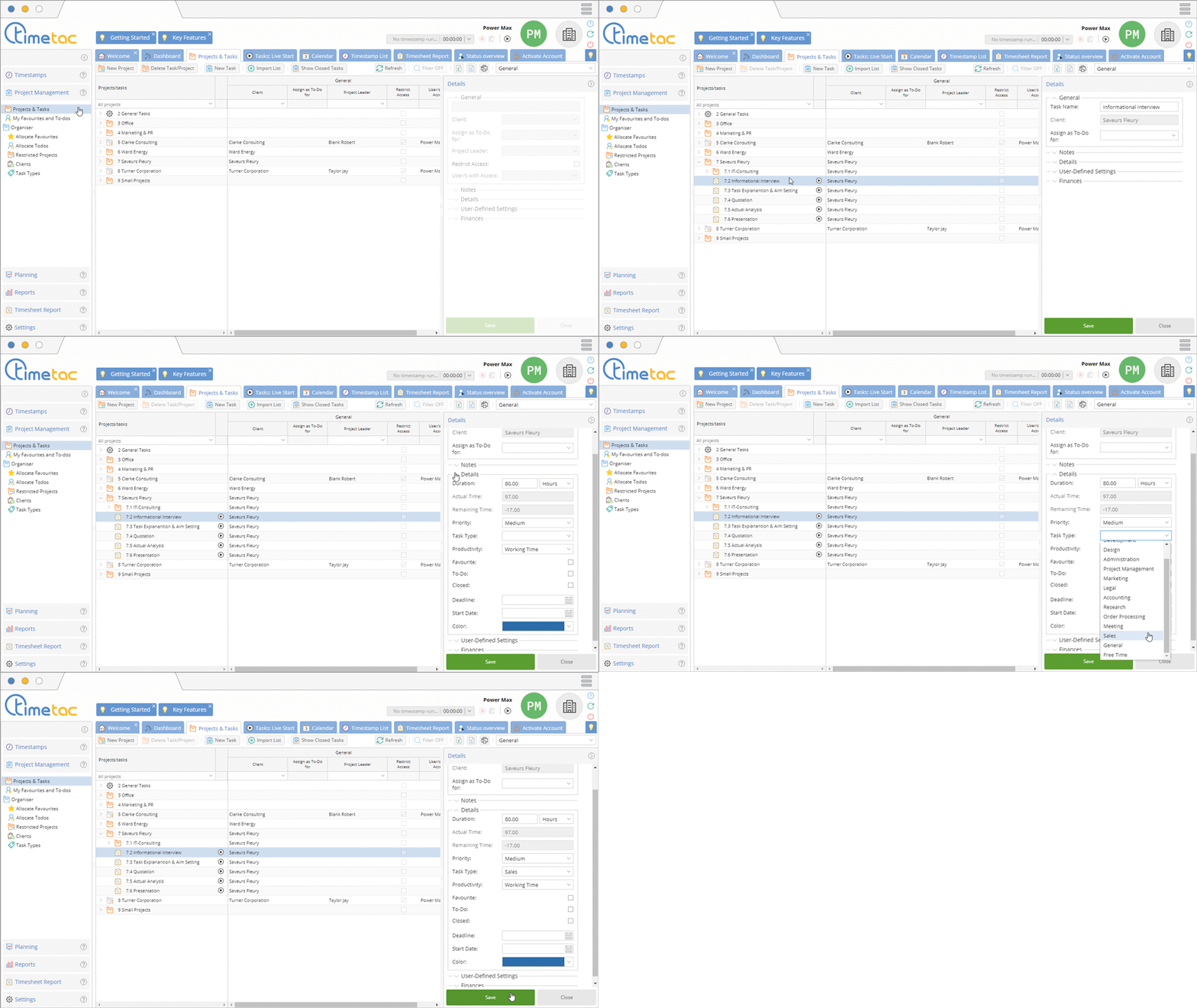
After defining particular tasks you can allocate these tasks in the menu Projects and Tasks. Open the desired Project with a click on the arrow. Now you can select a task. Navigate to the right side menu and open the submenu Details with a click on the small arrow. Navigate to Task Types and open the dropdown menu. Now select the task type and click on Save.
Reports
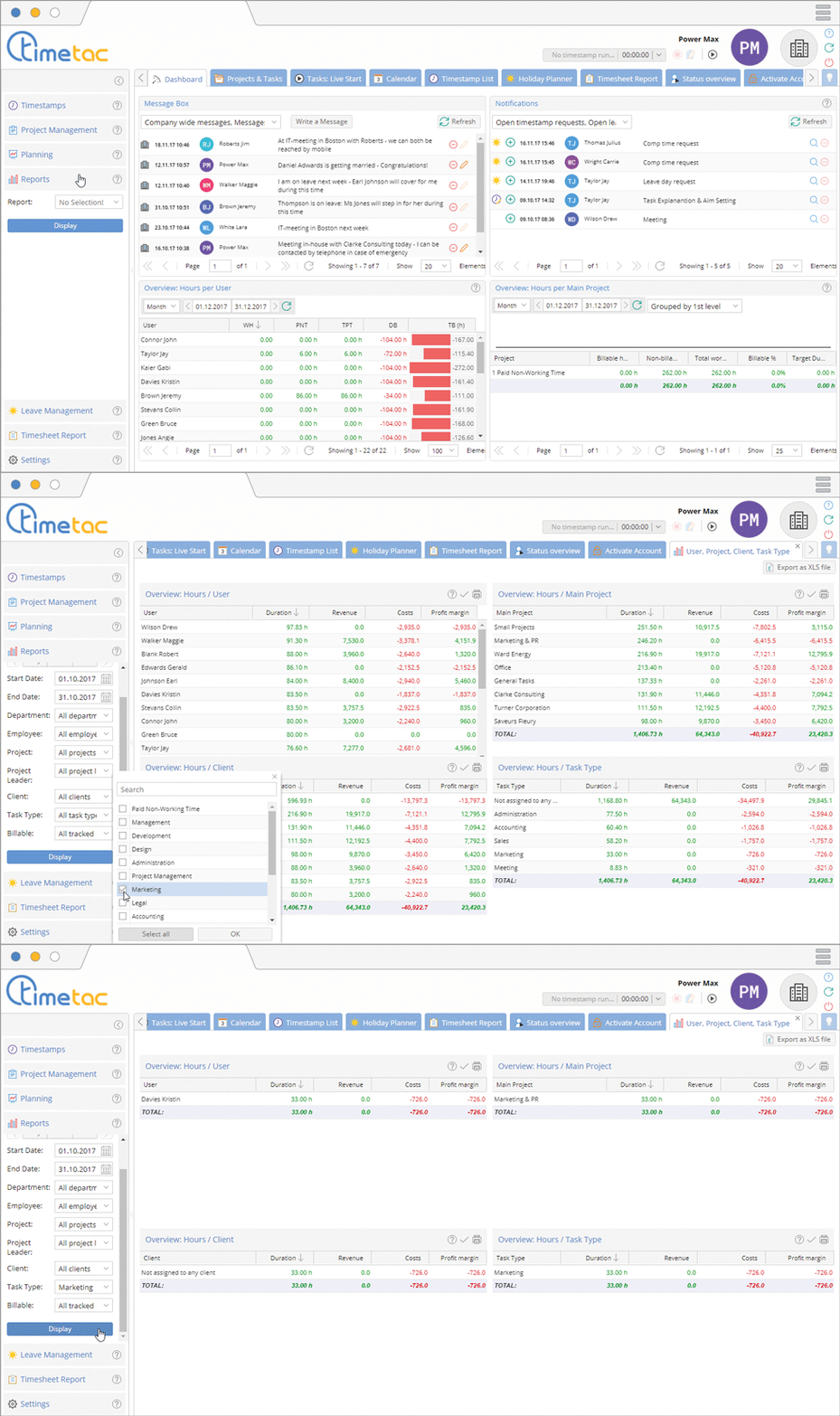
After defining particular task types and allocating them to projects you can create reports. Navigate to the menu Reports. Select the desired report type via the dropdown menu.
After selecting the report type you can define the desired time frame. Navigate to Task Type and open the dropdown menu. Click in the checkbox of the desired task type and click on Display.


