
Access Restriction
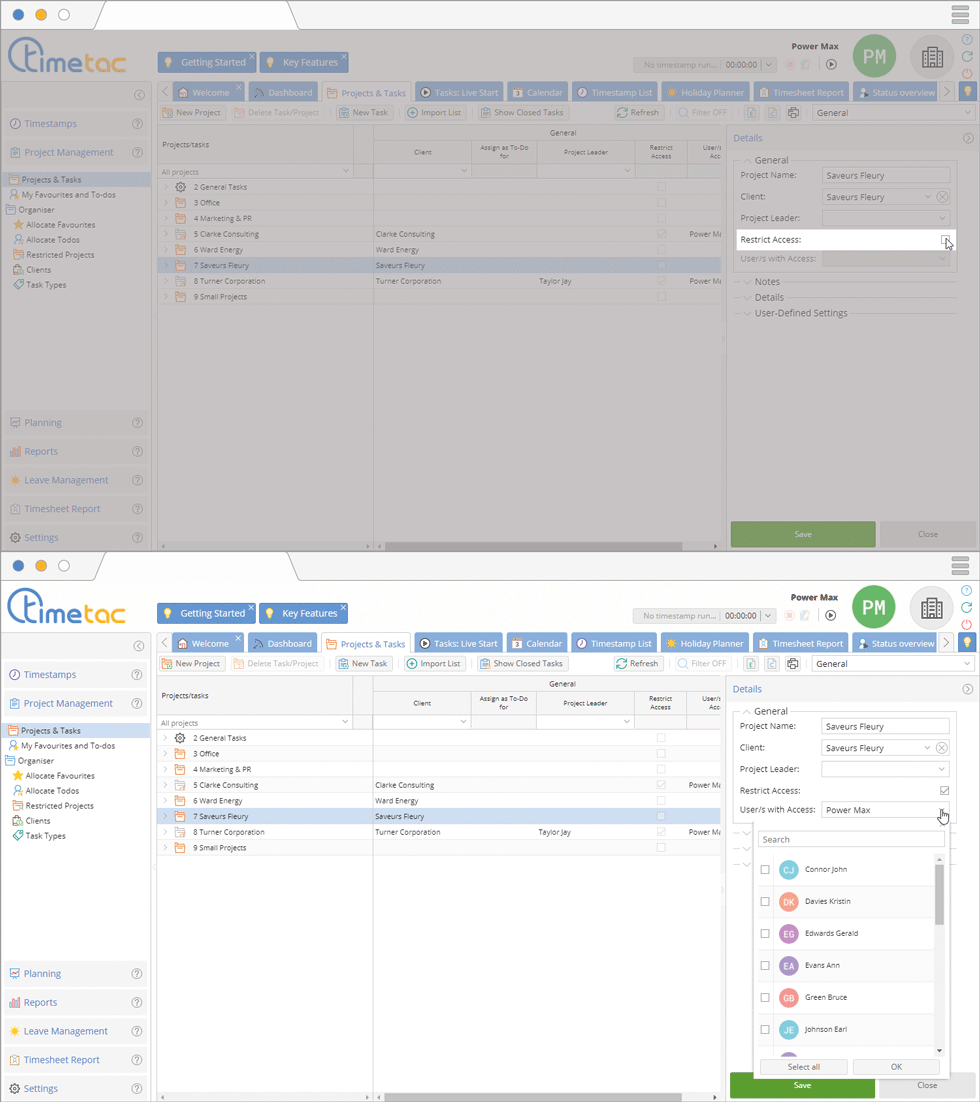
You can set up an access restriction for projects any time, either when you create a new project or when you edit a project. When setting up an access restriction, only selected user have access to the project, its sub-projects and tasks. To set up an access restriction click on a project. Navigate to the right side menu Details, now you can see the menu General. Check the checkbox at Restrict Access. Via the drop down menu User/s with Access you can select the users that should have access to this project.
Restricted Projects
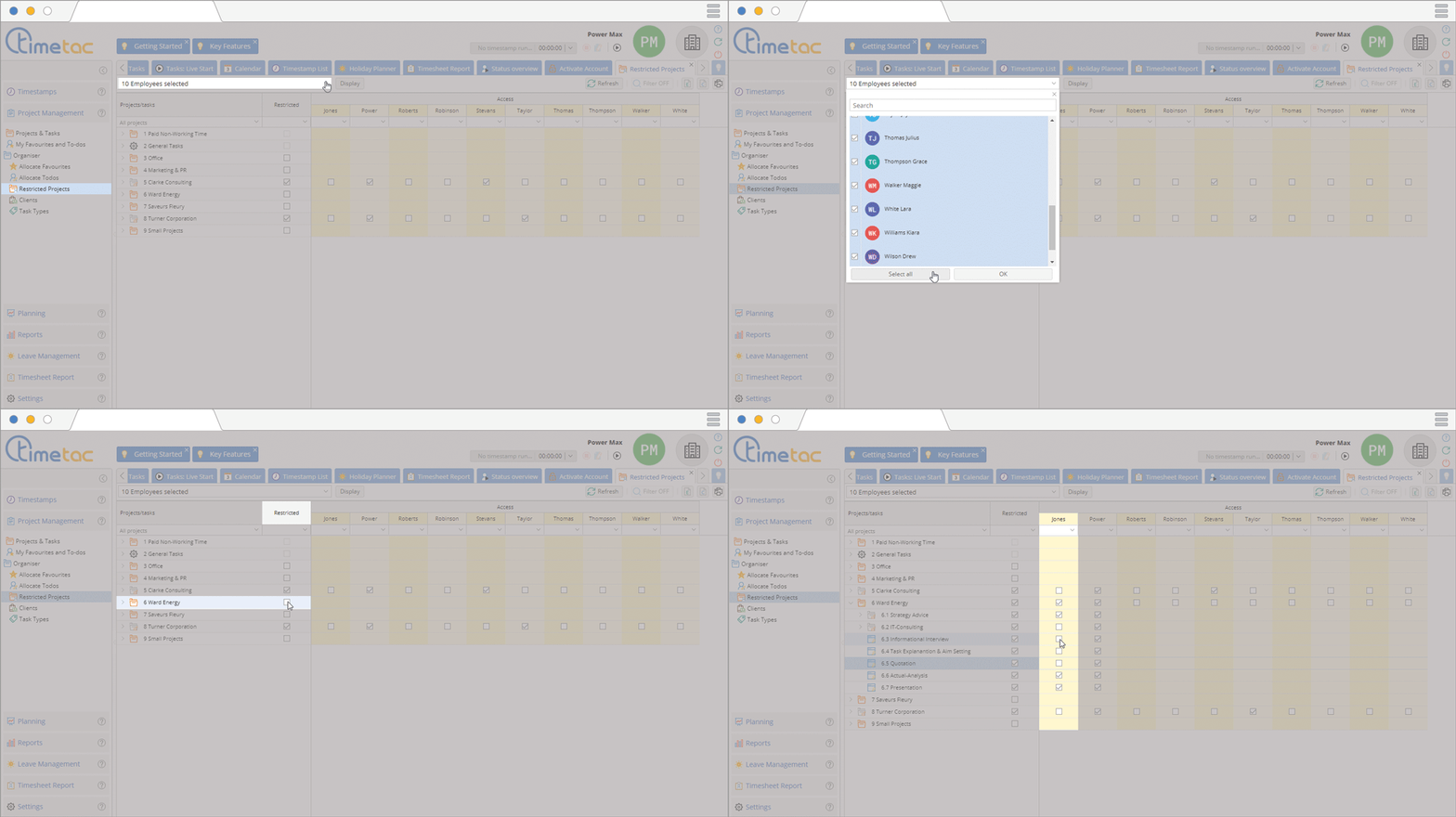
To restrict access to projects navigate to the left side menu Project Management – Restricted Projects. To restrict a particular project, click in the checkbox in the column Restricted.
Click on the arrow to open the drop down menu. To open the menu of a projects, click on the arrow left to the project. Click in the checkbox in the column of the desired employee.


