
You can subsequently enter time stamps sorted by projects and tasks.
The submenu Timesheet is solely available in Project Time Tracking.
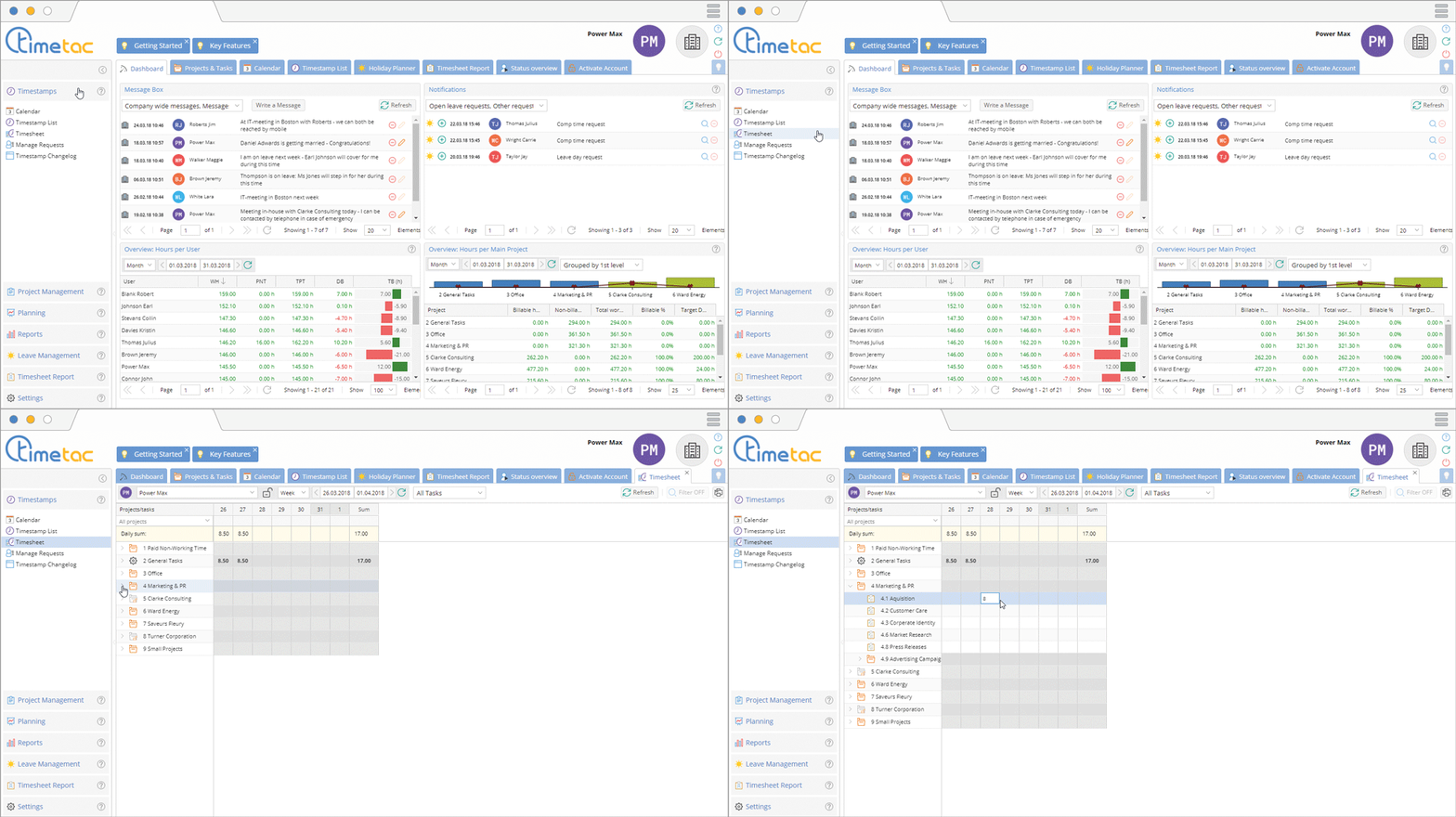
Open the menu Timestamps and click on Timesheet. Now you can see all the projects which you have access to. Open the project by clicking on the small arrow next to it. Now you can enter the number of working hours next to the desired task.
Filter

Via the drop down menu you can adjust the time period (day, week or month).

Via the arrows you can quickly select the time frame you want to display.

Via the last drop down menu you can filter the displayed projects and tasks: All Tasks, My To-Do List and My Favourites.
Managers can select employees via the drop down menu.
Memo

With a right click on the entered working hours a context menu opens. Using the option Add/Edit memo you can record memos, expenses and whether the task can be billed or not.
Timesheet is only activated by default for accounts with post-dated time tracking. If you would like to enable Timesheet for your account, please activate it in the account settings.


