TimeTac offers a two level approval work flow, which means when a manager gave his approval to an employee, another manager still has to approve as well.
This work flow is deactivated by default. To activate the two level work flow please contact our Support.
For the first level of approval the assigned person is responsible for particular requests. (Requests for Time Off, Requests for Comp Time or other Requests concerning absences at work)
Setting up the two level approval work flow:
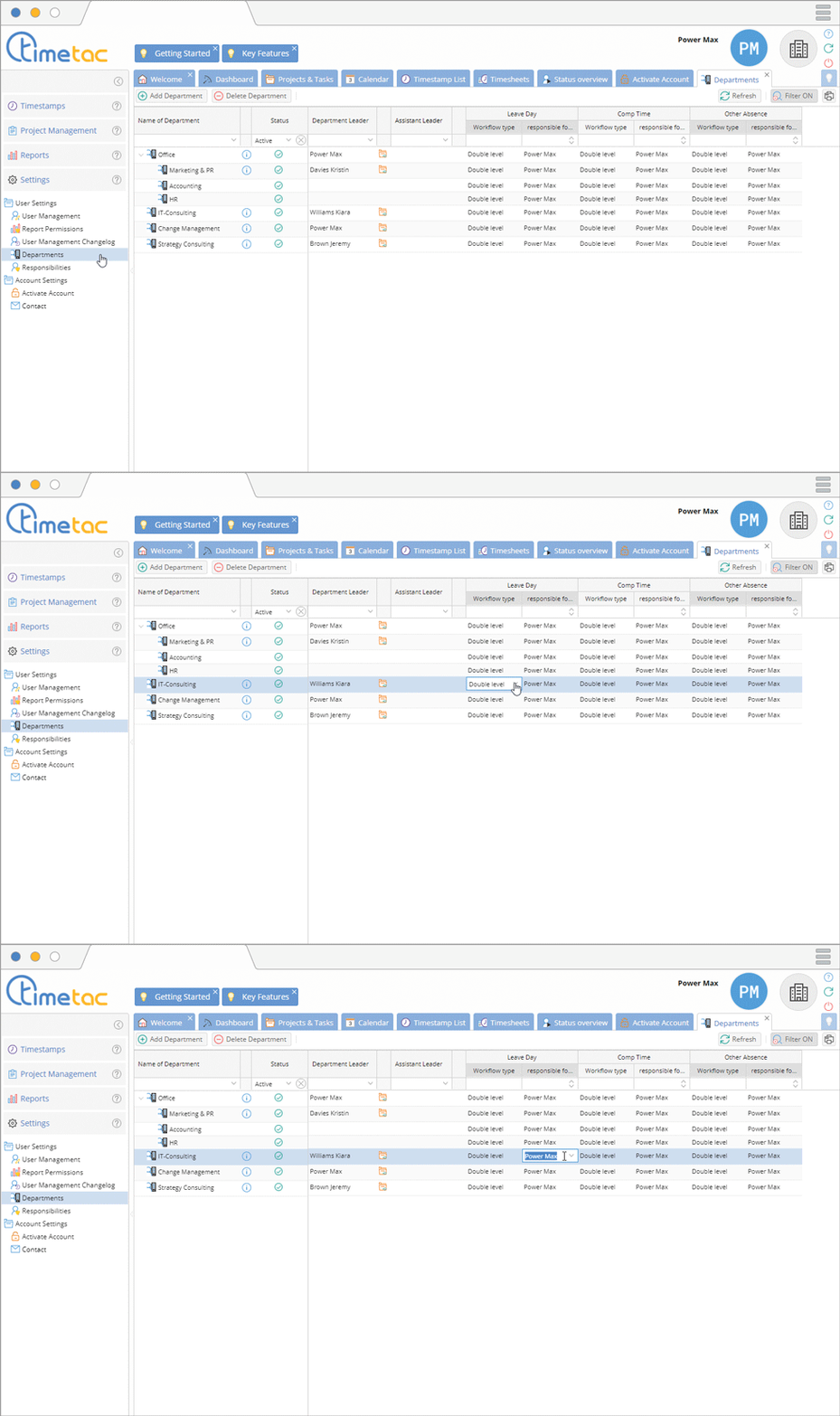
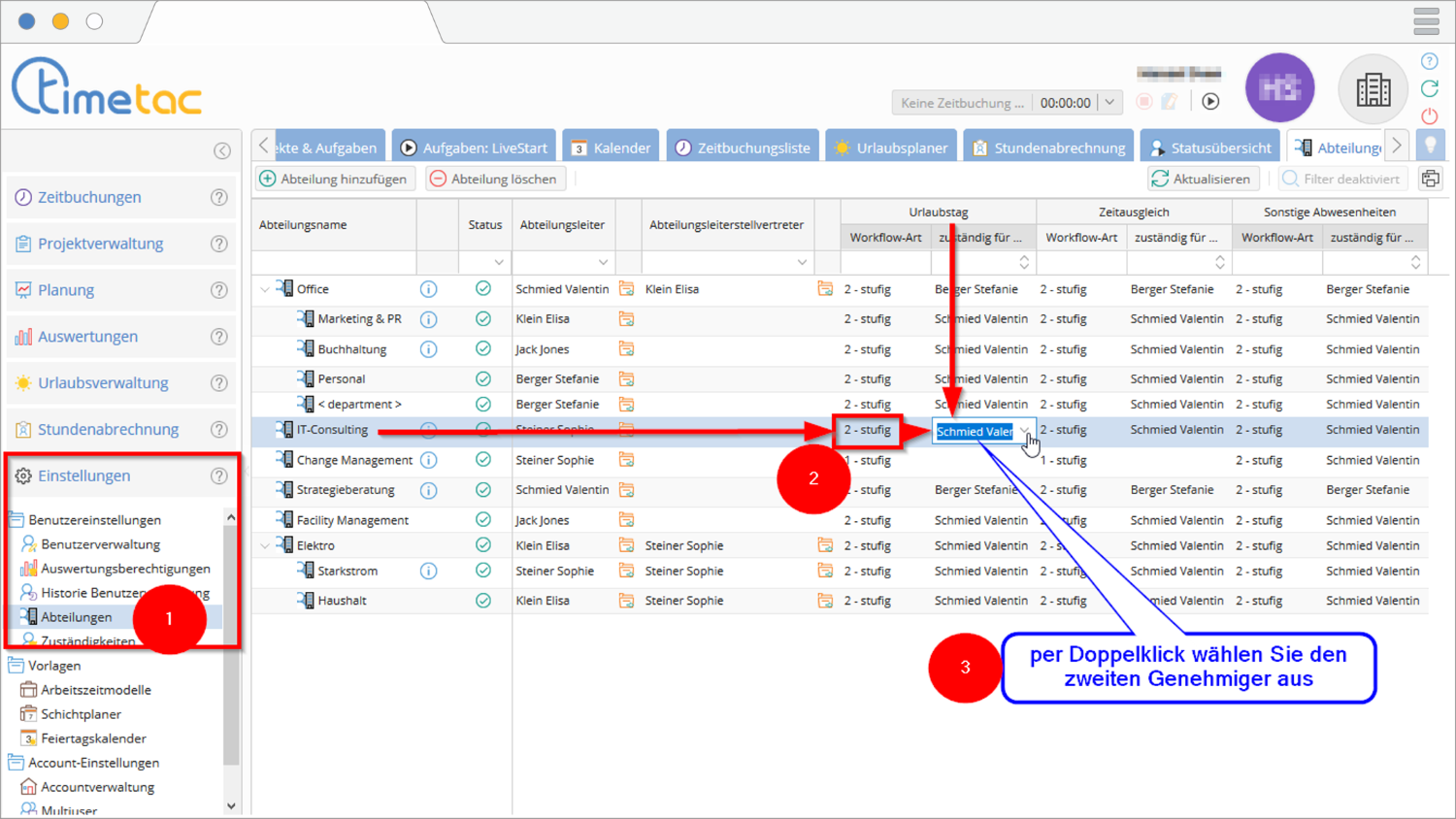
1. Click on Settings on the left side menu – User Settings – Departments.
2. Navigate to Work flow types, click on the option double level for each department and request types.
3. Double click in the column “responsible for” to assign the responsible person for the second approval level.