
You can allocate favourites and to-do’s to your employees and yourself. Navigate to the menu Project Management
Favourite and To-dos
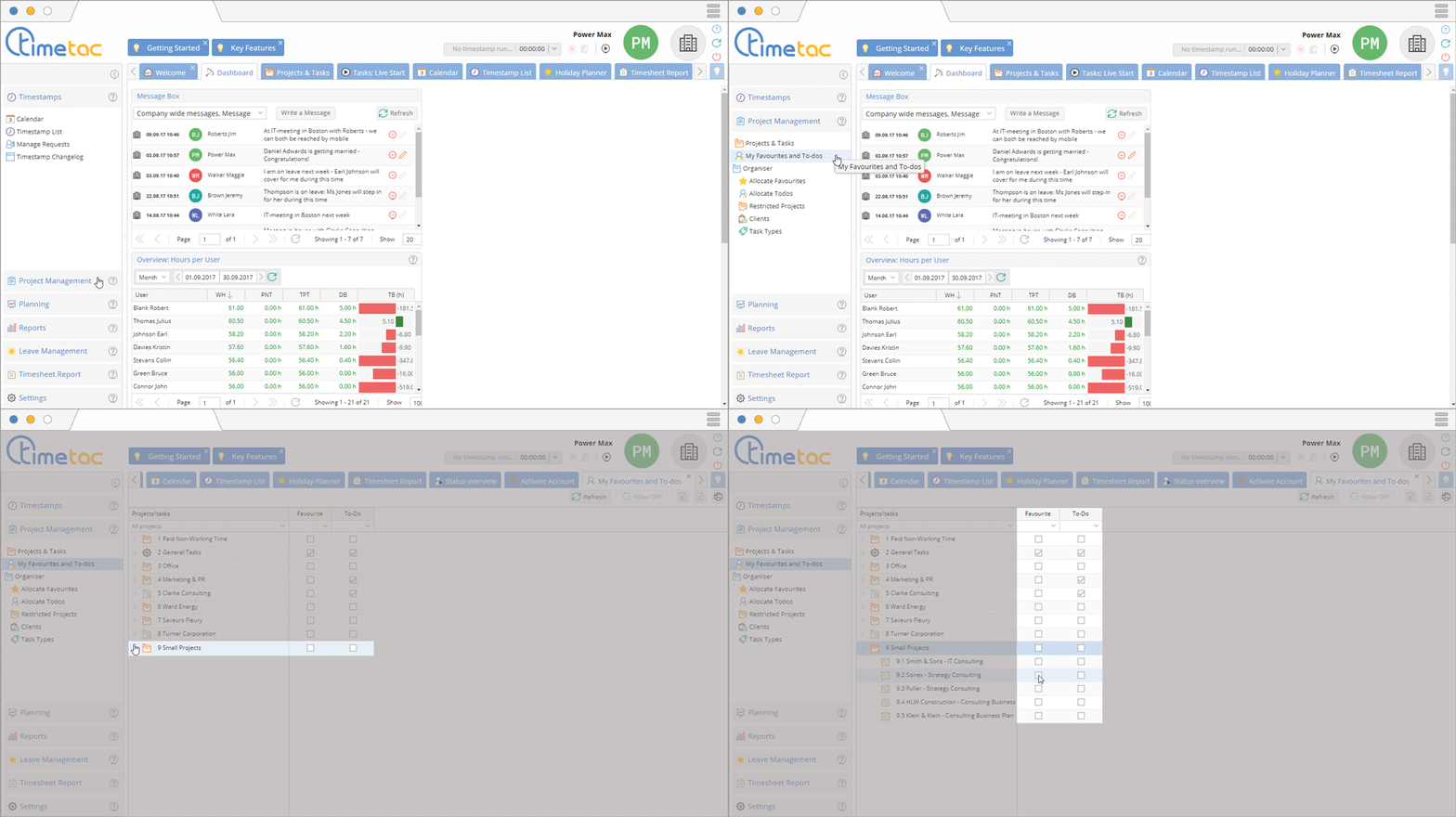
To allocate favourites and to-do’s to yourself click on My Favourites and To-do. Click on the arrow on the left side to open the menu which shows you the tasks of each project. Click in the checkbox to allocate favourites or to-dos.
Allocate Favourites to Employees
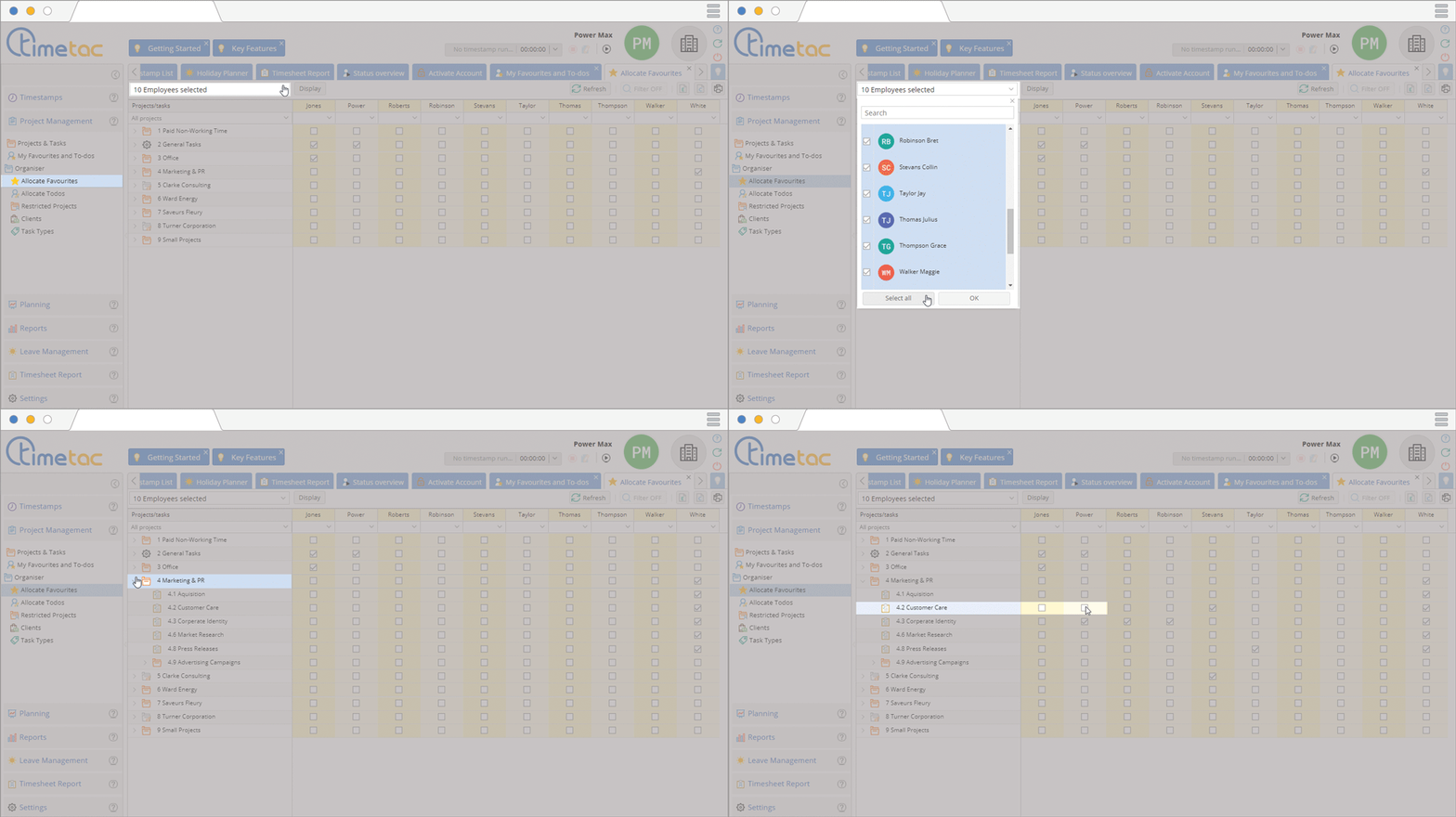
To allocate favourites to employees click on Allocate Favourites. Click on the arrow on the left side to open the menu which shows you the tasks of each project. With the drop down menu on the top you can select the desired employees. With a click in the checkbox you can allocate favourites to your employees.
Allocate To-Dos to Employees
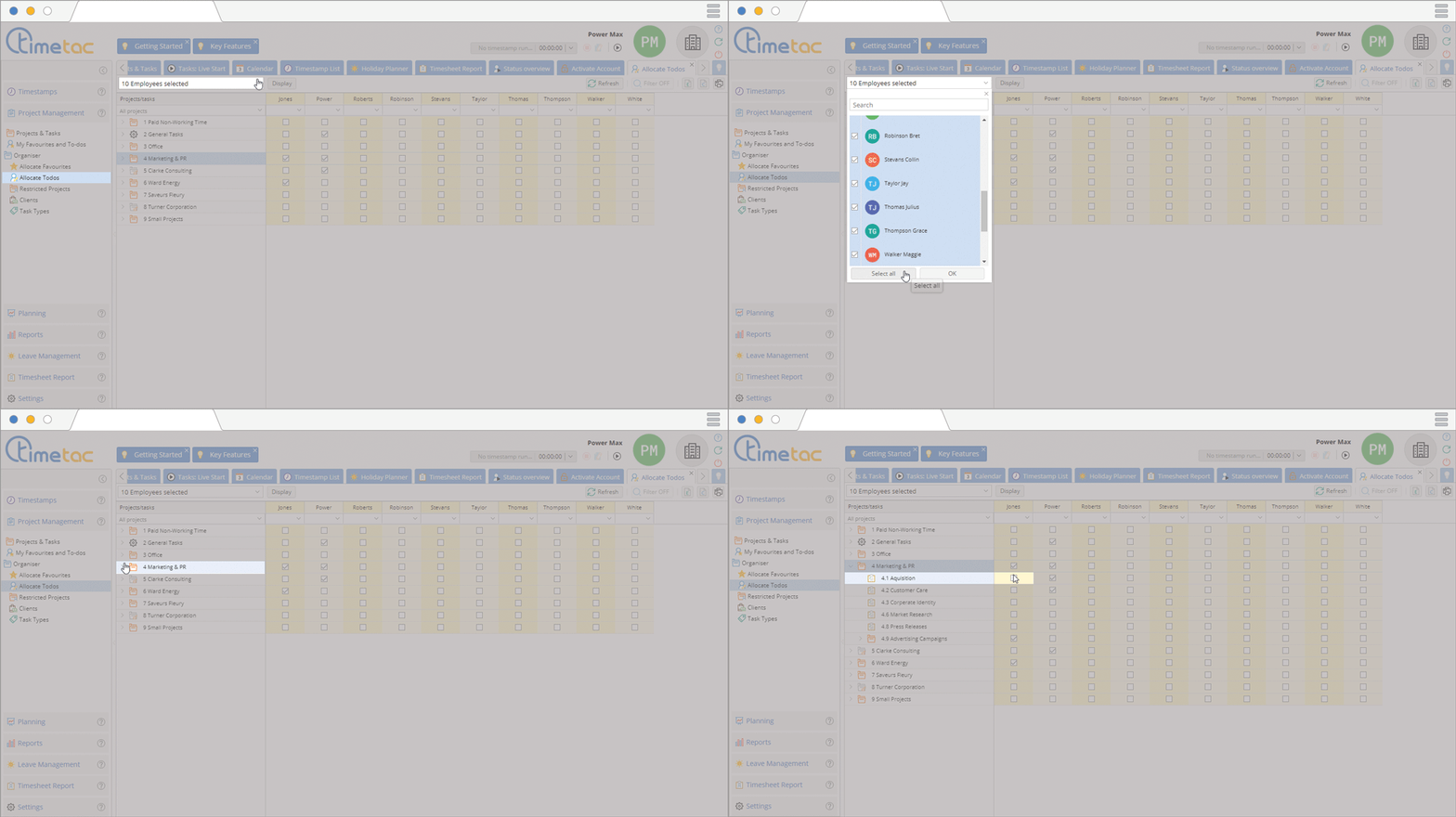
To allocate to-do’s to employees click on Allocate Todos. Click on the arrow on the left side to open the menu which shows you the tasks of each project. With the drop down menu on the top you can select the desired employees. With a click in the checkbox you can allocate to-do’s to your employees.
Allocate To-Do’s in Projects and Tasks

Change to the menu Projects and Tasks for another option to allocate to-do’s. Open the project with a click on the arrow, then select the desired task with a click. In the right side menu Details you can allocate this task to particular employees.
Display
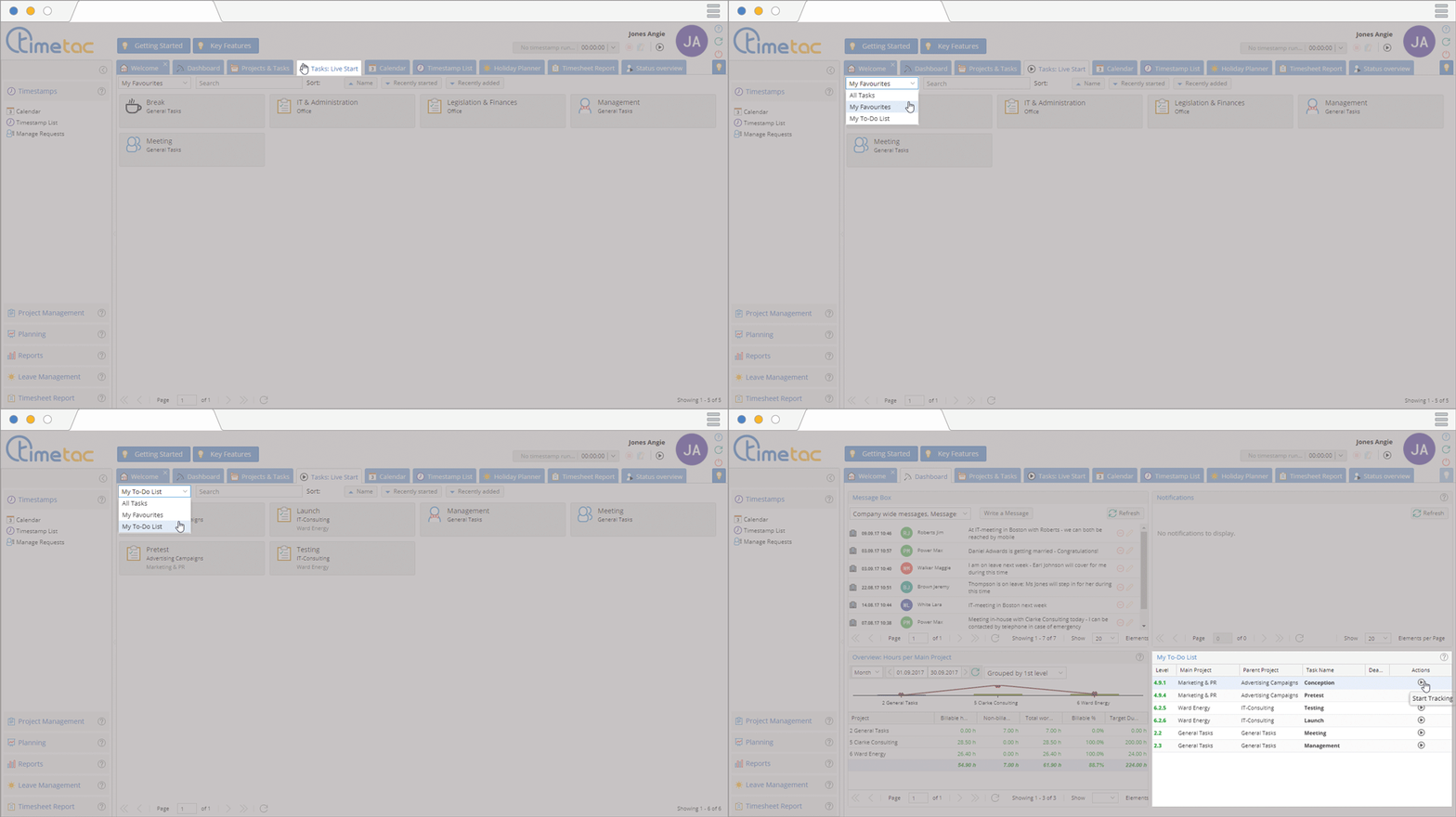
The allocated to-do’s can be started by your employees via the dashboard. In the menu Tasks:Live Start you and your employees can filter favourites and to-Do’s to in order to start tasks faster.


