
Your account was updated to the new version of TimeTac.
New menu Absence settings
We are proud to announce a new feature you can use to customize your TimeTac account even further. With the new menu Absence settings it is possible to create, erase and change the details from your existing absences(other paid leaves). In this way you can change also the workflow and settings from your absences.
Absence settings menu
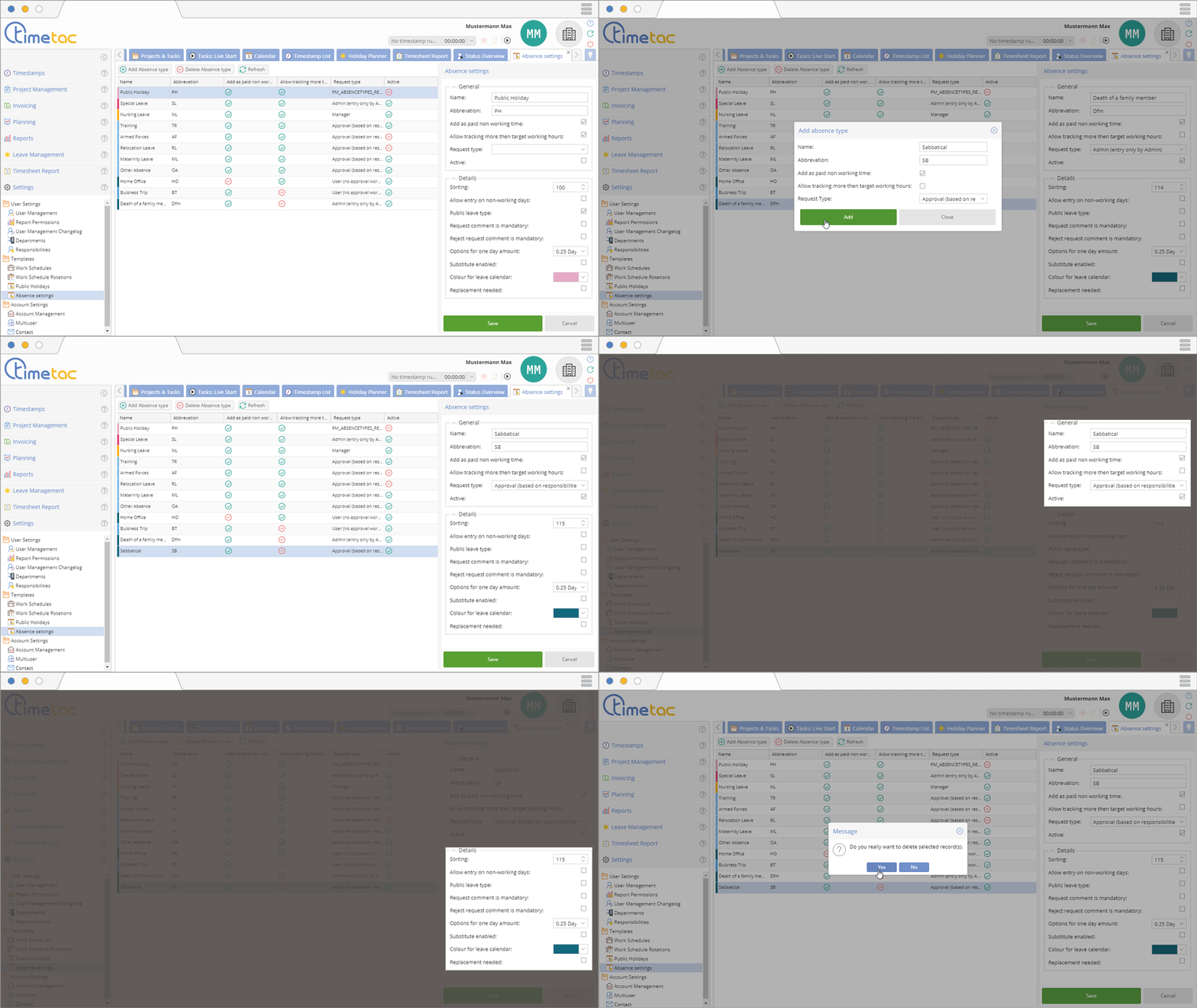
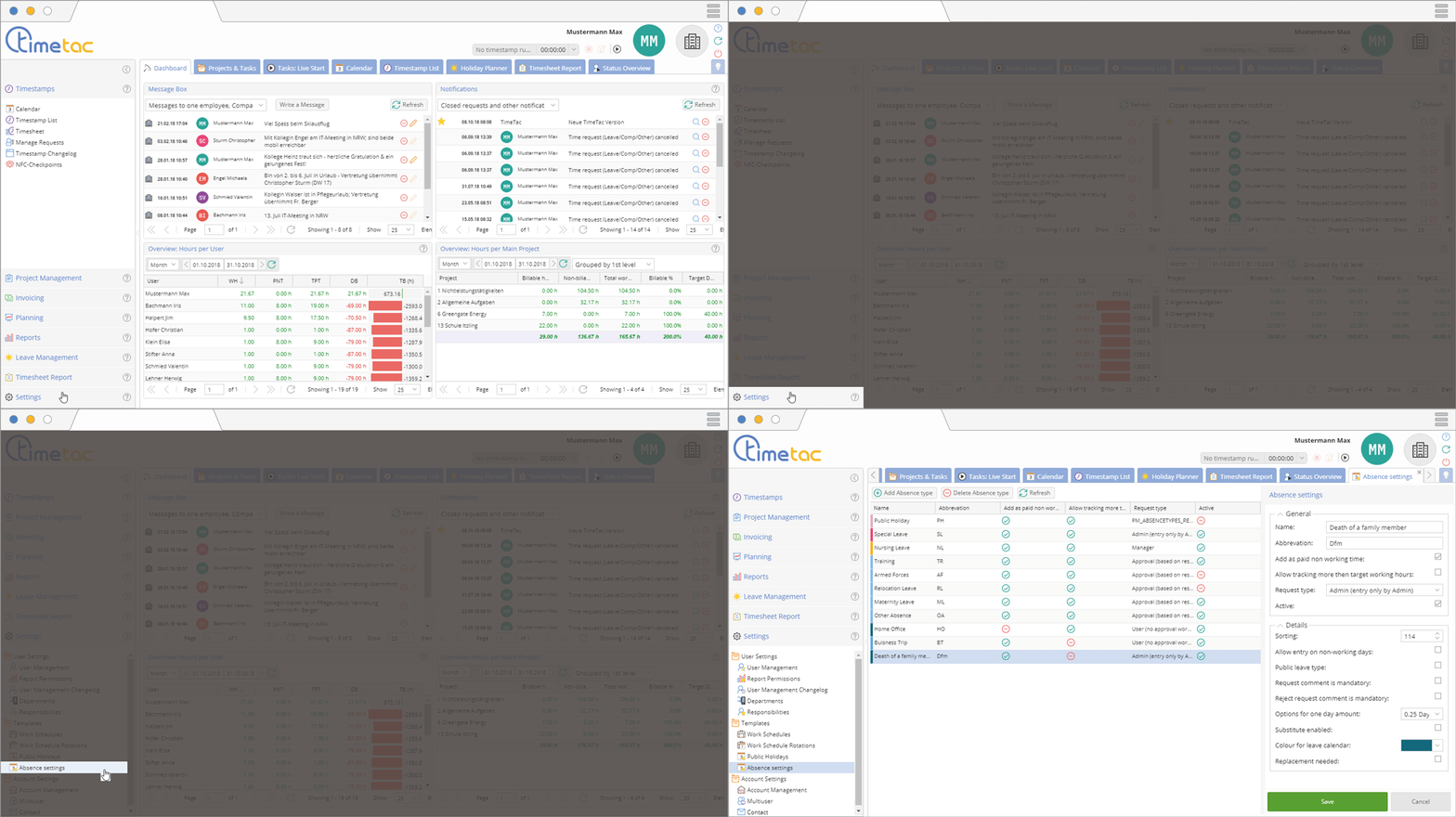
If you open your account and click on settings you will first notice a new menu. In Absence Settings you can add new Absence type or delete old ones. You also see the middle of the menu a matrix showing you the most important informations. If you click on a absence the right hand menu Absence settings will give you the opportunity to change even more details. Here you can define different aspects to correctly display the workflows in your company.
With this new menu it will be possible for you to customize TimeTac even more to the specific needs of your company.


